VNGen Studio Update v0.9.19+22 (Build 497): Localization, Typography, Integrated Scripting, and Revised Onboarding
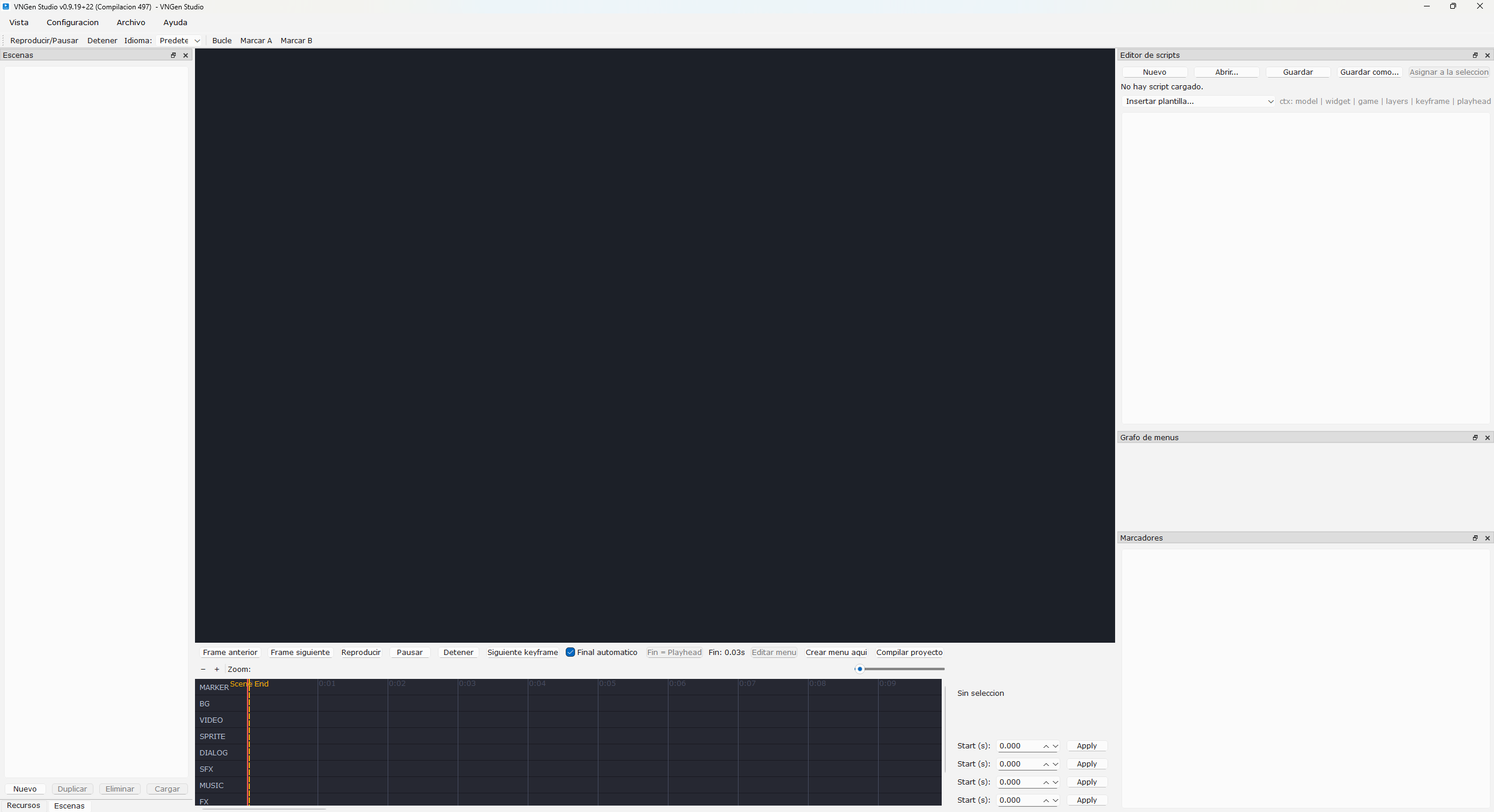
This update strengthens the multilingual foundation of VNGen Studio, expands control over project typography, improves the built-in scripting workflow, and refreshes the tutorial and onboarding experience to support the new translations.
The application now includes a full multilingual launch flow. VNGen Studio loads JSON language catalogs at startup, installs the appropriate Qt translators, and updates all splash, title, and dialog strings. Spanish is now fully supported, and non-English creators are greeted with a localized interface as soon as the program opens.
The command line and settings system have been expanded to support language selection. You can override the UI language with command line flags or through the VNGEN_LANG environment variable, and these preferences persist between sessions. The splash screen reflects the selected language immediately during startup.
Localization coverage inside the main window has been greatly expanded. All major workflow messages, including compilation, exporting, building, and error reporting, now pass through the translation catalog. Window titles and splash text follow this same system, giving the editor consistent multilingual behavior across its tools.
The tutorial and onboarding flow have been updated to match the new translations. Instructions, labels, and prompts now adapt to the chosen language, and the guidance offered during first-time setup is clearer and more aligned with the current feature set.
Settings received stability improvements. The chosen UI language now saves alongside interface font selections, and a crash in the font picker was resolved by correcting how font data is retrieved from PySide6.
Font support has been enhanced with proper system font references. Projects can now store type selections using the format font:system:<family>. These references skip unnecessary path normalization during exports and are resolved correctly in both editor and runtime contexts. This ensures consistent typography across machines without bundling additional font files.
The dialog and menu editors now offer direct access to system fonts. Both panels include system font selectors in addition to custom file pickers. Font selections update immediately in the preview and carry through into exports, streamlining iteration on menu prompts, dialog text, and option layouts.
Scripting is now more fully integrated into VNGen Studio. The Script Editor remains docked in the main window at all times, and you can open or create scripts directly from the timeline or the asset browser. Selecting a script automatically raises and focuses the dock, and localized error messages appear if a file cannot be read.
Automation hooks make script assignment easier. Dragging a script into the timeline or using asset actions updates the script_path on selected LOGIC keyframes immediately. This removes the need for manual JSON editing and provides a smoother way to attach Python snippets to markers and logic events.
The Script Editor dock has received several improvements. It displays the active script path, allows the creation of new empty Python files within the project, and uses open and save dialogs rooted in the project’s script directory. File errors are surfaced through message boxes, keeping the scripting experience entirely inside VNGen Studio rather than relying on an external editor.
A known issue remains in this build related to version and build number reporting. Some parts of the interface display outdated or incorrect values. Work is underway to resolve this so the application consistently reports the correct version across the splash screen, window title, and exported builds.
This update advances global accessibility, refines how text and typography are handled, and offers a more unified workflow for logic and scripting. Additional languages, deeper localization coverage, and further onboarding improvements will continue to evolve as VNGen Studio grows.
Files
Get TaleClip Studio
TaleClip Studio
Build scenes like you would edit a video.
| Status | In development |
| Category | Tool |
| Author | NuggetMayanz |
| Tags | Experimental, Game Design, Game engine |
More posts
- VNGEN Studio Becomes TaleClip Studio13 hours ago
- VNGen Studio Update Announcement19 days ago
- VNGen Studio - v0.9.19+21 (Build 496)19 days ago
- VNGen Studio – Feature Overview and Project Update20 days ago
- VNGen Studio – Today’s Update21 days ago
- Announcements22 days ago
Leave a comment
Log in with itch.io to leave a comment.