TaleClip Studio
A downloadable engine for Windows
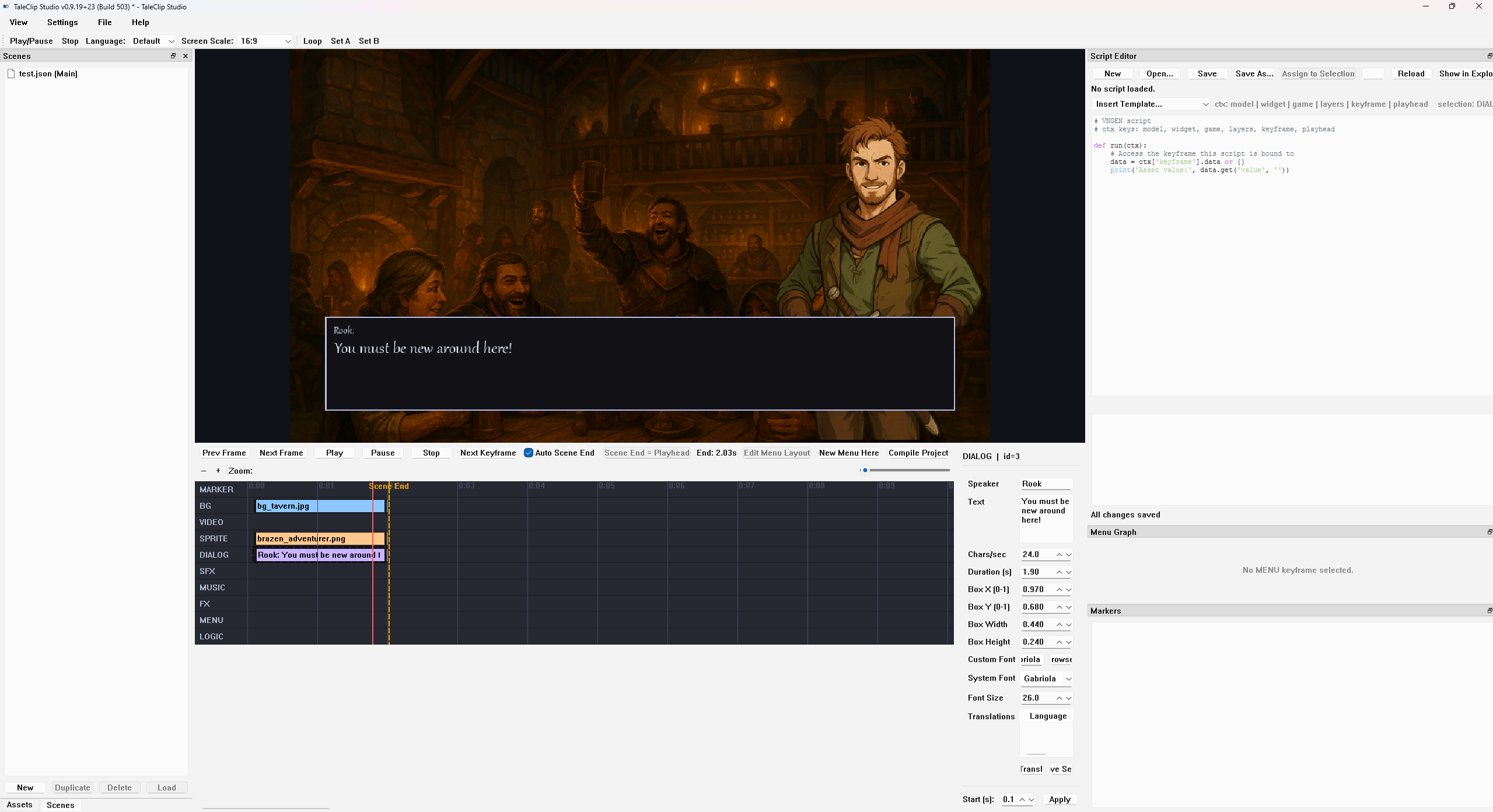
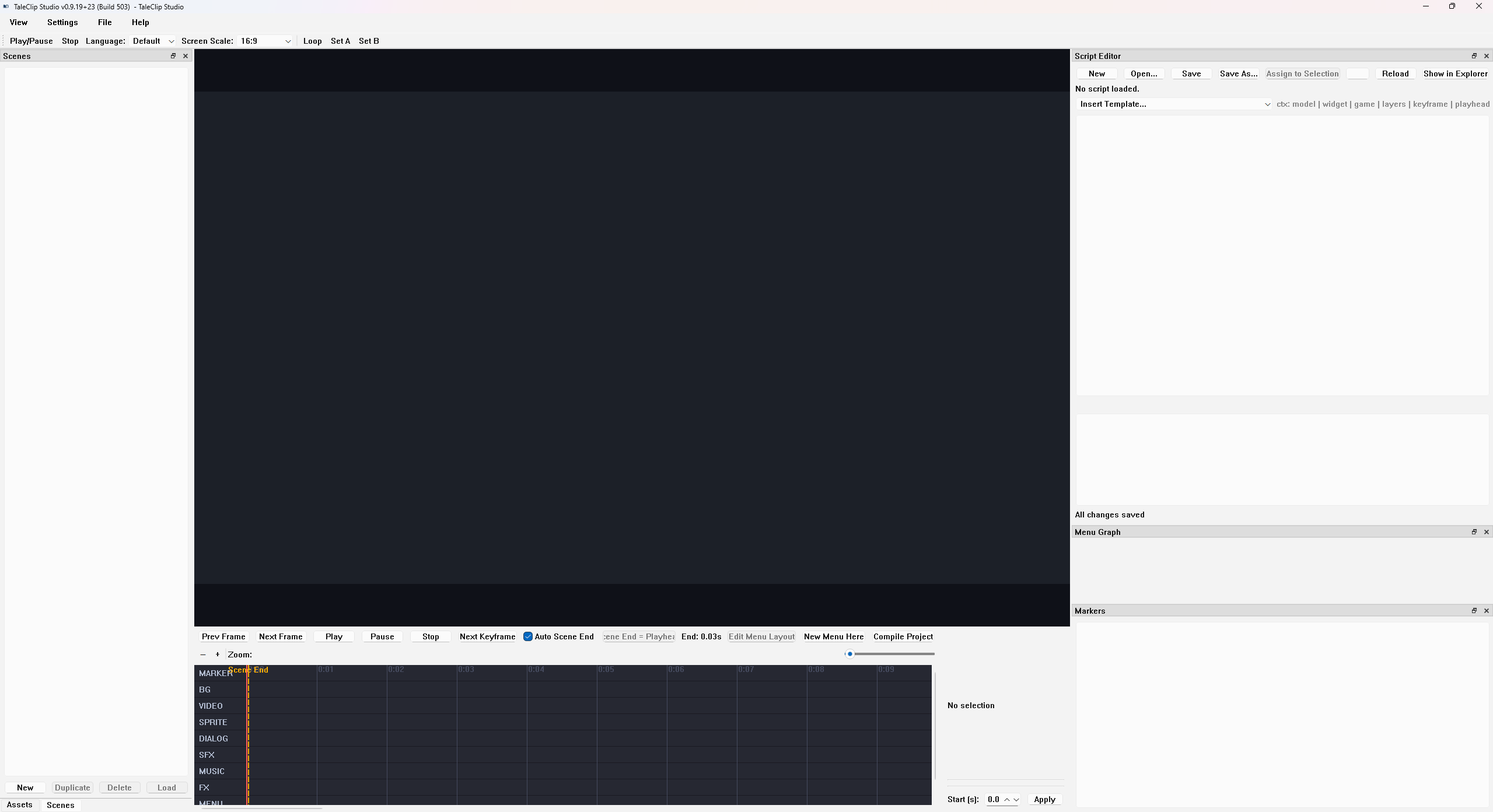
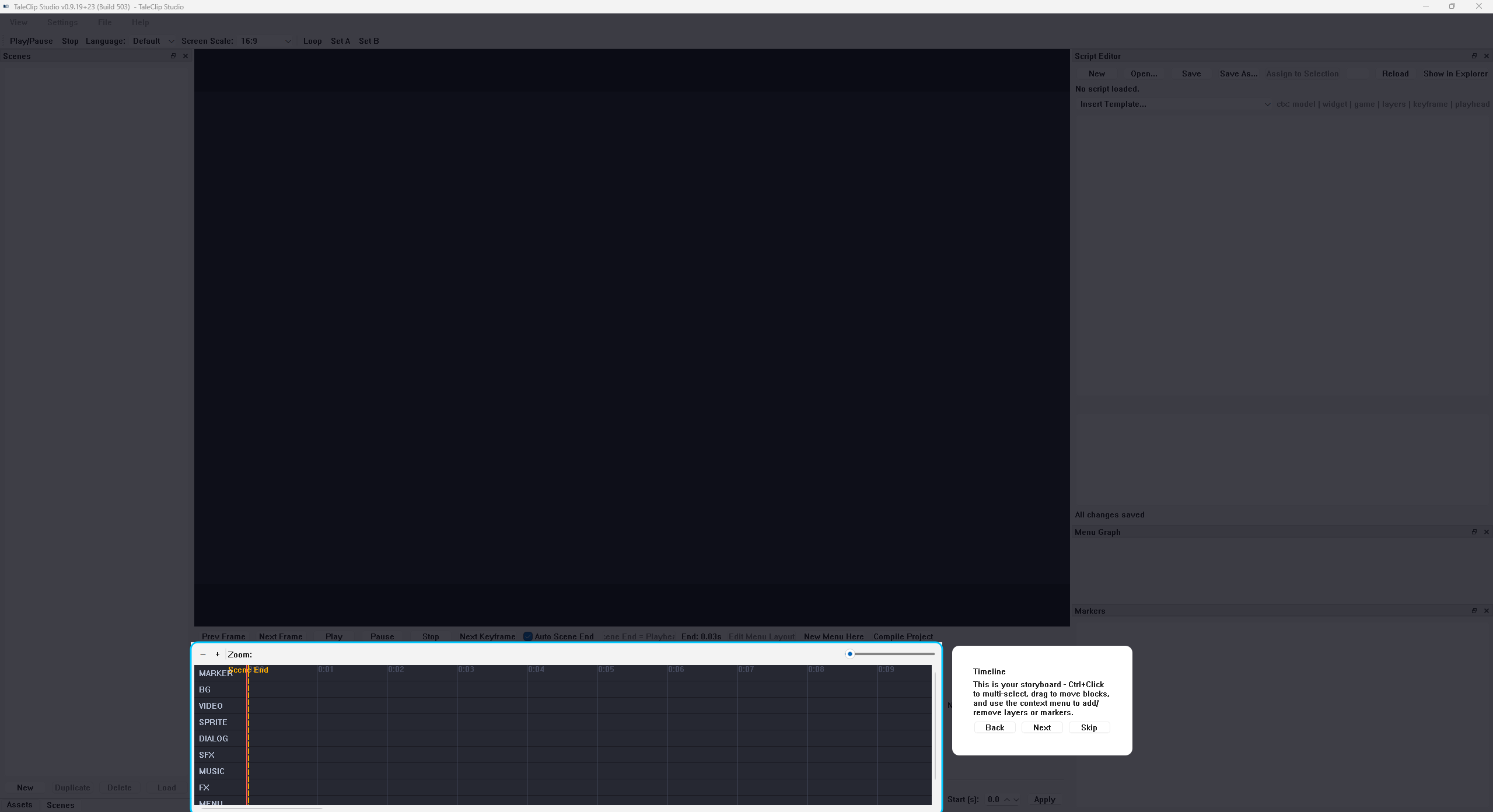
In TaleClip Studio, you build scenes like you would edit a video. Characters, backgrounds, dialogue, and music all show up on a timeline where you can move things around, adjust timing, and see the results instantly. If you drag the playhead, the scene updates right there in the editor. No exporting. No waiting. No guessing.
The goal is to let you stay in the creative flow.
What you can do in TaleClip Studio:
Timeline and Layout
Ten-track timeline model
Marker, BG, Video, Sprite, Dialog, SFX, Music, FX, Menu, and Logic tracks all share a unified model with default and minimum durations plus presets for sprite, dialog, and menu blocks so new clips always land with a sensible footprint.
Centralized visual palette
Row colors, grid and playhead colors, zoom limits, row heights, and padding all come from a shared palette so every project looks consistent without extra tuning.
DAW-style navigation
Mouse wheel controls support ctrl-zoom around the cursor and shift / alt scrolling, so moving around the timeline feels like working in a lightweight audio workstation.
Smart snapping and time math
Time helpers convert seconds to pixels and back, snap to tenths and nearby edges, and keep zoomed timelines in sync with the real duration.
Polished painting
The timeline draws track bands, block labels, selection outlines, resize handles, adaptive time grids, and scene-end markers so it is always clear what you are editing and where playback will stop.
Undo / redo that respects experimentation
Snapshot stacks, armed live edits, and selection reset logic let you try changes freely and roll back when something did not work out.
Assets and Drag-and-Drop
Unified asset dock
Background, Sprite, Video, SFX, Music, and Script each have their own tab with import buttons and drag-enabled lists. Assets emit a custom drag payload so drops “just work” wherever the timeline expects them.
Timeline drop behavior
Dropping assets into the timeline normalizes paths, injects default geometry for sprites, video, and FX, and auto-snaps start times when you drop multiple items at once.
Per-Track Editors
Background editor
Controls for asset path, fit, alignment, zoom, and fade duration tuned specifically for background tracks.
Sprite and video editor
Position, size, opacity, flip flags, two-point animation, path editing, and particle-like trails for pose animation so you can block in motion without leaving the editor.
Dialog editor
Speaker and tagline text, characters-per-second pacing, block duration, and dialog box rectangle overrides so timing and layout live in the same place.
SFX and Music editors
Asset paths and per-clip volume are exposed directly so you can mix your soundtrack and sound effects from inside TaleClip.
FX editor
Overlay and shake modes with control over pulse speed, custom colors, alpha ramps, shake amplitude, frequency, decay, and seeded randomness so visual transitions are repeatable.
Menu editor
Handles prompts, palette presets, opacity and background sliders, panel geometry with presets, button gap and radius, and a full option table that includes text, actions, inline scripts, and linked scripts. Menus have a dedicated insertion flow that launches a builder dialog, injects sane defaults, and stores panel geometry per block.
Logic editor
Supports label, jump, script, and block types with inline Python, variable declarations, JSON arguments, and a browser for script assets. Logic is now treated as a first-class timeline track rather than an afterthought.
Script editor dock
Standalone script editor with syntax highlighting, a quick reference cheat sheet, reusable snippets, file load / save, and assignment back into logic blocks and menu options.
Runtime, Menus, and Audio
Layered compositor
The runtime fades backgrounds with overlap timing and stacks sprite and video layers per track, applying flips, opacity, video frame extraction, and collision rectangles that match the editor overlays.
FX runtime
Renders overlay, pulse, and shake modes with color and alpha animation as well as seeded noise. Dialog and menu HUD state are kept in sync so UI and effects play nicely together.
Interactive menu overlay
When a menu is active, playback pauses and interactive buttons are drawn over the scene. Option selections can run scripts, trigger logic, and resume playback after the choice is made.
Audio engine
Music assets are sliced to match scrubbing offsets, with separate channels and volume per track. Raw audio is cached, SFX and music are layered together, and lazy initialization keeps things running even when the mixer is not available.
Logic runtime bridge
Timeline events can drive Python logic using shared variables, decorators for helper and block functions, inline script execution, and logic.jump / set / run APIs wired directly into the widget and logic modules.
Build, Export, and Project Versioning
Turnkey video export
The build pipeline renders preview frames, mixes a full audio stem, and uses FFmpeg to mux everything into finished scene video. It can also export just the audio as a wav file and reports errors and warnings along the way.
Project scaffolding and version tracking
New projects come with pre-seeded asset folders. The launcher script shows a splash screen with the current version and build, and the version tracker persists change counts per install so build numbers stay consistent across machines.
TaleClip Studio combines the comfort of a video editor with the storytelling tools of a visual novel engine. It is made for people who want to focus on their world, their characters, their pacing, and their ideas, without getting stuck fighting the software.
If that sounds like something you’ve been missing, TaleClip Studio might feel like home.
I would really love your feedback. Even a small note about what felt smooth, confusing, fun, or awkward helps a lot. I am actively improving the tool, and hearing your experience gives me direction on what to refine next.
TaleClip Studio is developed by a single independent creator. The engine is an ongoing work in progress, and features, stability, and usability may evolve over time.
Download
Install instructions
Download the .exe file from this page.
Once the download finishes, double-click TaleClipStudio.exe to run it.
Development log
- VNGEN Studio Becomes TaleClip StudioDec 05, 2025
- VNGen Studio Update v0.9.19+22 (Build 497): Localization, Typography, Integrated...Nov 17, 2025
- VNGen Studio Update AnnouncementNov 16, 2025
- VNGen Studio - v0.9.19+21 (Build 496)Nov 16, 2025
- VNGen Studio – Feature Overview and Project UpdateNov 15, 2025
- VNGen Studio – Today’s UpdateNov 14, 2025
- AnnouncementsNov 13, 2025